

Scaling Horizontally (Adding More Containers)
When you deploy a Task Queue or endpoint, Beam creates a queueing system that manages each task that’s created when your API is called. You can configure how Beam will scale based on how many things are in the task queue.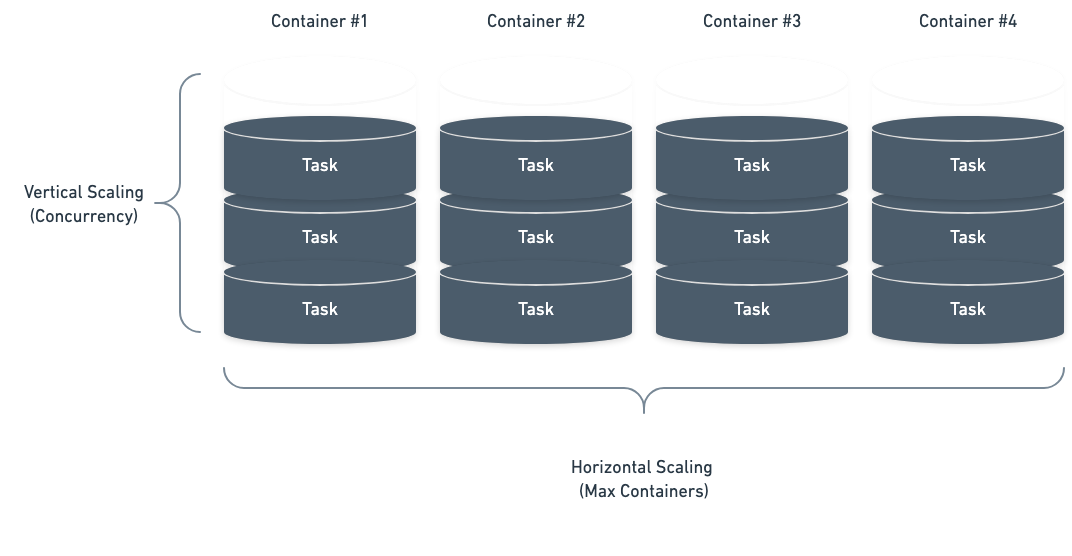
Scale by Queue Depth
Our simplest autoscaling strategy allows you to scale by the number of tasks in the queue. This allows you to control how many tasks each container can process before scaling up. For example, you could setup an autoscaler to run 30 tasks per container. When you pass 30 tasks in your queue, we will add a container. When you pass 60, we’ll add another containers (up untilmax_containers is reached).
Setting Always-On Containers
Any running containers count towards billable usage. Take care to avoid
setting
min_containers unless you’re comfortable paying for usage 24/7.min_containers field.
By setting min_containers=1, the autoscaler maintains a target of at least one running container while the deployment is active, subject to capacity and runtime health.